Turn on protection
Approve NetBlocker once in macOS System Settings, then switch protection on.
 NetBlockerDownload
Built exclusively for Apple silicon
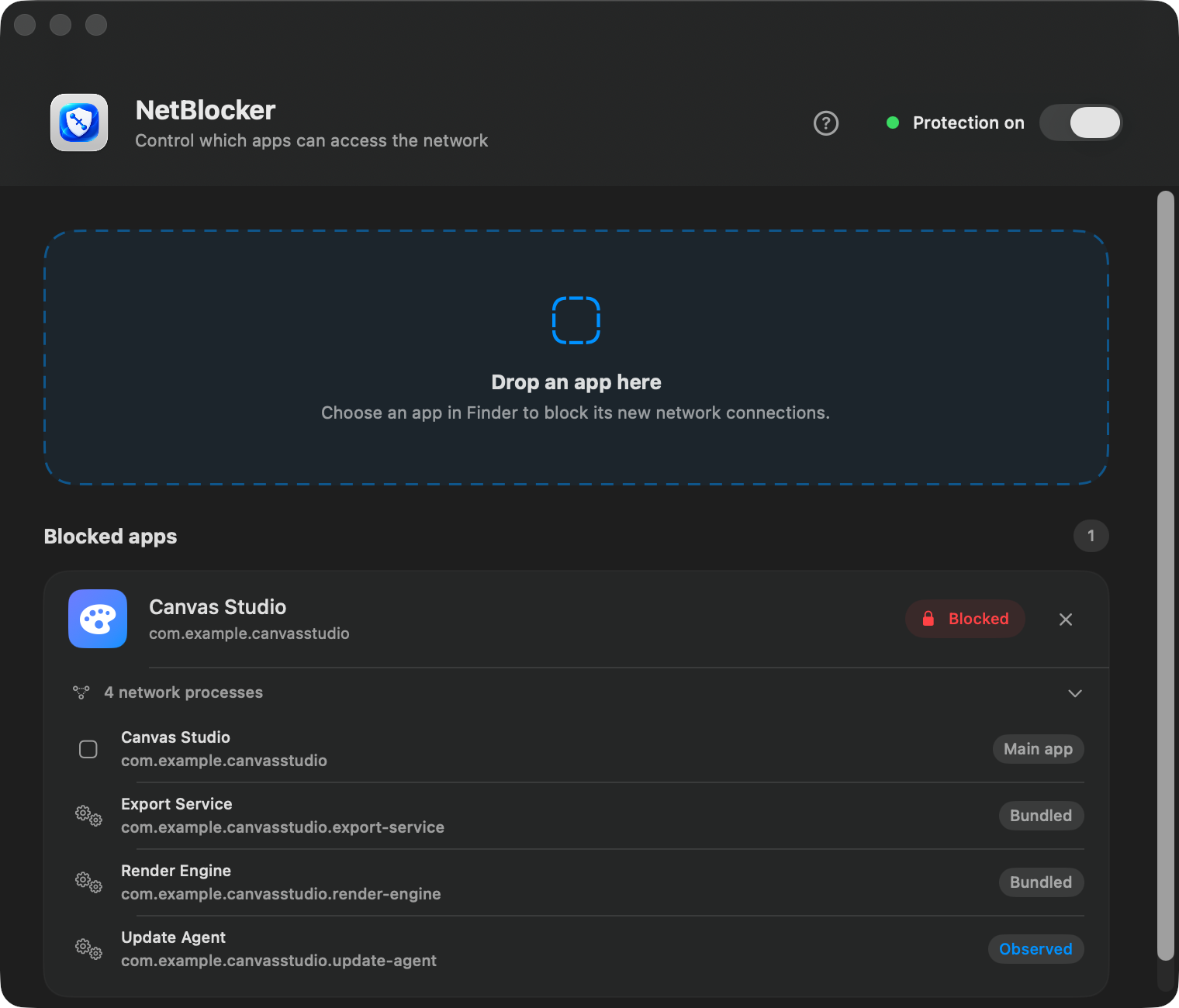
Drop in an app. NetBlocker stops its new connections and reveals the helpers, XPC services, and background processes connecting with it.
7-day free trial. No card required. 30-day money-back guarantee after purchase.
Three simple steps
No rule syntax. No port numbers. No firewall expertise required.
Approve NetBlocker once in macOS System Settings, then switch protection on.
Drag any app from Finder. NetBlocker scans its signed identity, bundled helpers, XPC services, and executable components.
Expand the app to see its main process, bundled components, and related processes observed connecting.
Good to know Quit and reopen a newly blocked app once to close connections it already had open.
Private by design
NetBlocker uses Apple's Network Extension framework to make a local yes-or-no decision: can this app create a connection? It does not need to see what you send.
Focused by design
Everything you need to control app access, without the complexity you do not.
Add an app directly from Finder and NetBlocker takes care of the rule.
A native interface, Apple silicon performance, and Apple's supported network APIs.
Reveal signed helpers, XPC services, executable components, and related background processes.
Expand any blocked app to see the processes covered by its rule, then restore access with a click.
Early feedback
What people noticed first while trying NetBlocker on their own Macs.
It is refreshingly easy to use. Drop in the app and NetBlocker takes care of the rest.
It offers the control I wanted at a much lower cost than the other solutions I considered.
Feedback paraphrased from private beta comments to protect testers' identities.
Simple pricing
Seven full days to see if NetBlocker fits your Mac. No card, no subscription, no surprise renewal.
One payment. No subscription and no recurring charges.
Questions, answered
No. NetBlocker blocks connections by app identity. It does not read web pages, passwords, messages, or the contents of your traffic.
macOS requires your explicit permission before an app can filter network connections. NetBlocker guides you to the right setting during setup.
NetBlocker stops new connections. Quit and reopen the blocked app once to ensure any existing connections are closed.
Yes. NetBlocker scans embedded helpers and XPC services, then observes the real source process behind related connections. Components it can confidently associate with the blocked app are added automatically and shown in its process list.
No. NetBlocker is designed exclusively for Apple silicon Macs with an M1 chip or newer.
Your purchase is covered by a 30-day money-back guarantee. Contact us within 30 calendar days of the original purchase for a full refund through Lemon Squeezy.
Practical advice, honest trade-offs, and a clear starting point.
Installation, related processes, and checking protection.
Read the guide →COMPARE ALLNetBlocker, LuLu, Radio Silence, Little Snitch, and the firewall built into macOS.
See the comparison →COMPAREWorkflow, compatibility, and purchase considerations.
Explore the differences →COMPAREApp-centred blocking compared with free, open-source rule control.
Find your fit →Get in touch
Send a message and we will get back to you. Your email address is used only to reply.
Available now
Download the notarized app and try every feature free for seven days. No card required.
Download for Apple silicon Version 1.2.0Requires macOS 13 Ventura or newer · Signed & notarized DMG